TorZon Market Safety Guide — Tor Browser, PGP & Mirrors

Most stolen accounts and lost coins on darknet markets have nothing to do with broken Tor encryption — they happen because someone clicked an unsigned mirror link, left JavaScript enabled, or trusted a web form to encrypt their messages. When people look up how to access TorZon Market safely, those three client-side habits decide whether their login stays private or lands on a phishing relay. In this TorZon Market safety guide, we walk through Tor Browser hardening, local OpenPGP verification, operating-system setup, and fixing stalled onion circuits — alongside our signed onion address reference and market history.

Updated

Step-by-Step Verification & Safety Workflow

1

Download & Verify the Tor Browser Installer

A .onion address only resolves inside the Tor network. Regular browsers like Chrome, Edge, or Safari cannot open v3 hidden services on their own, and any clearnet "tor2web" proxy that offers to open an onion link in a normal browser decrypts all of your traffic in the middle — handing your password and messages straight to the proxy operator.

  1. Download Tor Browser directly from the official Tor Project website (torproject.org) — never from third-party download mirrors
  2. Grab the matching .asc signature file alongside the installer for your operating system
  3. Check the Tor Project Developers' PGP signature in GnuPG or Kleopatra before running the installer so you know the binary wasn't tampered with — the exact verification flow is in our OpenPGP signature verification guide
  4. Open Tor Browser and let it finish bootstrapping its three-hop circuit before loading any address
Tor Project download page showing Tor Browser installer options
2

Switch Tor Browser to the "Safest" Security Level

Out of the box, Tor Browser starts on the "Standard" security level, which leaves JavaScript enabled. Nearly every historical browser exploit used to deanonymize Tor users relied on JavaScript engine bugs. Since TorZon's interface works entirely on plain HTML and CSS, you lose zero functionality by turning scripts off.

  1. Click the shield icon next to the address bar in Tor Browser and open Settings → Privacy & Security
  2. Scroll down to Security Level and switch it from Standard to Safest
  3. Never install extra browser add-ons (like ad blockers or password managers) inside Tor Browser, as they create a unique browser fingerprint
  4. Leave the Tor Browser window at its default size instead of maximizing it, so websites cannot read your monitor's exact pixel resolution
Security configuration note icon

Running on "Safest" disables JavaScript across all sites, blocks remote web fonts, and turns off media codecs that could otherwise be abused to leak your real IP address.

3

Check the PGP Signature Before Using Any Mirror

Never trust an onion link posted in a forum comment, a Reddit thread, or a clearnet search snippet. Scammers use GPU vanity tools to generate fake v3 addresses that start with the exact letters torzon... to trick people who only read the beginning of the URL — the cost math behind that prefix limit is broken down in our Tor v3 onion address anatomy.

  1. Get the current signed mirror list from our onion address verification page or from the official TorZon subdread on Dread
  2. Run gpg --verify (or Kleopatra's clipboard check) on the signed announcement and confirm that the 40-character key fingerprint matches the market's master key
  3. Copy the 56-character .onion string directly out of that verified message into Tor Browser
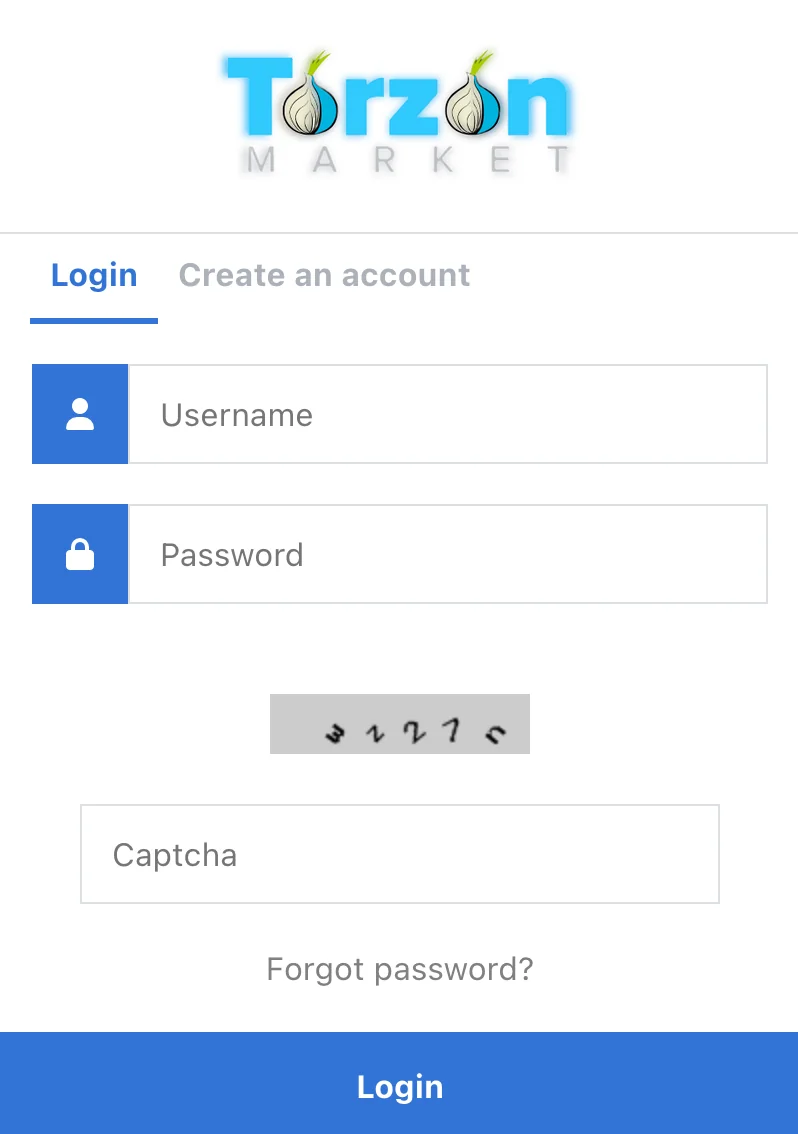
  4. Once the login screen loads, check both the first 8 and the final 10 characters before .onion in the address bar to make sure no redirect happened
Login screen layout used by the hidden service for authentication
4

Don't Fall for the "Padlock Icon" Myth

A common mistake among newcomers is looking at the onion or padlock icon in Tor Browser's address bar and assuming the site is authentic. Think of a v3 .onion address like a physical padlock with its serial number stamped on the casing: the 56-character hostname is literally the Ed25519 public key used to encrypt your connection. Anyone can generate a key pair and hang a working lock on a fake door.

  1. Confirm the address is a full 56-character base32 string (letters a–z and digits 2–7) ending in .onion
  2. Remember that end-to-end Tor encryption only proves your traffic is encrypted to that specific .onion key — only the market's PGP signature proves the key belongs to TorZon
  3. After entering your username, check that your personal anti-phishing phrase appears accurately before completing login
  4. If a login page suddenly skips your PGP 2FA challenge or asks for a wallet seed phrase or PIN on the wrong screen, close the tab immediately
Phishing warning alert icon

The onion icon in Tor Browser only means your connection to that 56-character key is encrypted. A phishing proxy has its own valid 56-character key too — PGP verification is the only thing that tells them apart.

5

Lock Down Your Account with PGP 2FA

Even if you accidentally paste your password into a spoofed mirror, having PGP two-factor authentication active stops the attacker from hijacking your session or draining your wallet.

  1. Pick a random username that shares nothing with your clearnet handles, gaming tags, or email addresses
  2. Generate a long random passphrase in an offline password manager like KeePassXC
  3. Paste your public OpenPGP key into your TorZon account settings right after registration and turn on mandatory PGP 2FA login challenges
  4. On every login, decrypt the PGP challenge locally and verify that the onion URL inside the decrypted text matches the address bar before submitting the token
Padlock icon for credential isolation

Never upload your private PGP key anywhere. The market only ever needs your PUBLIC KEY BLOCK; decryption happens strictly on your own computer.

OpenPGP & Operational Security Practices

Where users actually make mistakes with PGP encryption, phishing relays, and crypto wallets

Encrypt Messages Locally — Never Trust a Browser Checkbox

Some hidden services offer a convenience checkbox that promises to encrypt your message on the server after you hit submit. Never rely on it. If you type a plaintext shipping address or private note into a browser form, that plaintext travels across the network to the server before any encryption happens — meaning a man-in-the-middle proxy or a compromised server logs every word in the clear.

Instead, install an open-source client from openpgp.org or gnupg.org, import the recipient's public key (and the market's key from our PGP verification reference), and encrypt your text on your own machine first. The only thing you should ever paste into a browser text box is an already-encrypted -----BEGIN PGP MESSAGE----- block.
How Reverse-Proxy Phishing & Clipboard Hijackers Steal Funds

Modern darknet phishing sites are not static HTML mockups; they are live reverse proxies. When you connect to a fake mirror, the proxy forwards your requests to the real TorZon backend and shows you your real account, messages, and search results. It waits silently until you open the wallet deposit page, where a script replaces the market's BTC or XMR deposit address with the attacker's wallet.

Two habits defeat this completely: first, verify the signed mirror list before you open the site; second, enable PGP 2FA and read the full decrypted login message, which includes the genuine onion URL you are supposed to be on. Also watch out for clipboard-stealer malware on Windows that swaps crypto addresses between Ctrl+C and Ctrl+V — always double-check the first and last 6 characters of a wallet address inside your wallet app before broadcasting a transfer. More clone red flags are covered in our phishing and security FAQ.

Monero vs. Bitcoin & Why Market Wallets Are Not Banks

Sending Bitcoin directly from a KYC exchange (such as Coinbase, Kraken, or Binance) to a darknet market deposit address permanently links your real-world identity to that transaction on a public ledger, and usually gets your exchange account frozen by chain-analysis filters. Monero (XMR) avoids this by obscuring the sender, recipient, and amount at the protocol level through ring signatures, stealth addresses, and RingCT — the full mechanism-by-mechanism comparison is our Monero vs Bitcoin privacy page.

Whichever coin you use, treat every market wallet as a temporary transit stop rather than storage. Keep your funds in a local self-custody wallet (such as Feather Wallet or the official Monero GUI), transfer only what you need for an immediate order, use 2-of-3 multisig escrow where supported, and withdraw any leftover change as soon as the transaction finishes.

System Requirements & Platform Setup

Practical differences between running Tor Browser and PGP tools on Windows, macOS, and Tails OS

Windows desktop guide showing Tor Browser and Gpg4win setup

Windows 10 & 11

Pair the official 64-bit Tor Browser installer with Gpg4win, which bundles the Kleopatra certificate manager and a built-in clipboard notepad for encrypting and verifying PGP blocks without touching the command line. Before working with keys on Windows, turn off Clipboard History (Win + V), cloud clipboard sync, and Windows Recall/screen-capture features so decrypted PGP tokens and passphrases are never cached to disk or synced to a Microsoft account.

macOS setup illustration for Tor Browser and GPG Suite

macOS (Intel & Apple Silicon)

Verify the .dmg signature from torproject.org, drag Tor Browser to Applications, and install either GPG Suite (GPG Keychain) or command-line gnupg via Homebrew. When GPG Keychain prompts to save your PGP key passphrase inside the macOS Keychain, uncheck that box — otherwise iCloud Keychain sync or any local process running under your user session can unlock your private key without prompting.

Linux and Tails OS environment with pre-configured Tor routing

Linux, Whonix & Tails OS

For serious operational security, booting Tails OS from a USB stick removes host-OS leaks altogether. Tails forces every network packet through Tor at the firewall level (dropping any app that tries to connect directly), includes Tor Browser, Kleopatra, and KeePassXC out of the box, and wipes all RAM when you pull the USB stick out. Your PGP keyring and wallet seeds stay locked inside an optional LUKS-encrypted Persistent Storage volume.

Troubleshooting & Common Connection Issues

How to fix timed-out mirrors, 0xF0 / 0xF2 onion errors, and ISP blocks without falling for fake links

Troubleshooting diagram for Tor circuit timeouts and onion mirror checks

Why an Onion Mirror Stops Responding

When a v3 onion address hangs or shows "Unable to connect," the problem is almost always one of three things: DDoS congestion on that specific mirror's introduction points, a stalled local Tor circuit, or a retired secondary mirror. Before doing anything else, compare your URL against the latest signed mirror list.

1. Mirror Saturated by DDoS or Rotated Out

During a DDoS wave, the primary address often slows to a crawl while backup mirrors stay responsive. Switch to Mirror #1 or Mirror #2 from a PGP-signed announcement you have already verified, or check the Dread subdread for outage notes. Never google for a replacement link while a mirror is down.

2. Stalled Circuit or Clock Skew (0xF0 / 0xF2 Errors)

If Tor Browser throws an 0xF0 (descriptor not found) or 0xF2 error, press Ctrl+Shift+L (or click the circuit icon and select New Tor Circuit for this Site) to route through fresh guard and rendezvous nodes. Also check that your computer's clock and UTC timezone aren't off by more than a few minutes — v3 onion descriptors depend on accurate time windows and will fail to validate if your system clock is skewed.

3. ISP or Firewall Blocking Tor Bootstrap

If the progress bar stalls before Tor Browser even finishes connecting to the network, your ISP or local firewall is likely blocking public Tor directory nodes. Open Settings → Connection → Bridges and turn on a built-in obfs4 or Snowflake bridge to disguise Tor traffic as regular HTTPS — the transport comparison, official BridgeDB channels, and the full 0xF0–0xF7 error table sit in our Tor bridges & diagnostics guide.